

Top Digital Asset Management Best Practices for E-commerce

In the fast-paced world of e-commerce, the difference between a browse and a buy often comes down to a single, compelling product image. But behind every great image is a complex web of files, formats, and permissions. Simply dumping your visual content into scattered folders is a recipe for chaos, wasted time, and inconsistent branding. This is where a robust strategy for digital asset management (DAM) becomes not just a nice-to-have, but a critical engine for growth.
Effective DAM transforms your asset library from a disorganized liability into a streamlined, high-performance powerhouse. By implementing proven digital asset management best practices, you can unlock unparalleled efficiency, maintain brand integrity across all channels, and empower your team to focus on what truly matters: driving sales. A well-organized system ensures that every product photo, video, and graphic is easily discoverable, properly licensed, and ready for deployment, eliminating costly bottlenecks and creative friction.
This guide will walk you through seven essential, actionable practices to master your e-commerce visuals. We'll provide step-by-step guidance on everything from establishing a comprehensive metadata strategy to implementing automated workflows that save you hundreds of hours. To delve deeper into establishing robust systems, explore proven digital asset management best practices that can serve as a foundation for your strategy. We will unpack how to centralize storage, standardize file formats, and manage usage rights to protect your brand and maximize your return on creative investment. Each point is designed to be immediately applicable, helping you build a scalable system that supports your business's growth.
1. Establish a Comprehensive Metadata Strategy
At the heart of any effective digital asset management system is metadata. Think of it as the DNA of your digital content. A comprehensive metadata strategy involves creating a structured system for tagging, describing, and categorizing every asset with consistent, searchable information. This isn't just about keywords; it's about building a rich information layer that makes your assets intelligent and easy to find, use, and manage. Without it, your DAM is little more than a disorganized digital junk drawer.
A robust strategy differentiates between various types of metadata. Technical metadata is often captured automatically (file type, resolution, creation date), while descriptive metadata requires human input or AI assistance (product name, campaign, keywords, usage rights). A well-designed metadata schema is the foundation for asset discoverability, workflow automation, and rights management, making it one of the most crucial digital asset management best practices.
Why It's a Foundational Practice
For an e-commerce brand, a strong metadata strategy directly impacts efficiency and revenue. When your marketing team can instantly find approved, on-brand images for a new product launch on Etsy or a promotional campaign on Facebook, they save hours of searching. This speed to market can be a significant competitive advantage.
Consider global content giants like Netflix, which uses extensive metadata to power its recommendation engine and help users discover content across 190+ countries. Similarly, Getty Images relies on a sophisticated keywording system, allowing users to navigate millions of photos to find the perfect one. While your online store might not operate at that scale, the principle is identical: good metadata makes assets valuable and accessible.
Actionable Implementation Tips
To build your own metadata strategy, start with a focused approach and expand over time.
- Define Core Fields: Begin with essential information. For an e-commerce product photo, this might include:
Product SKUProduct NameImage Type(e.g., lifestyle, studio, infographic)Campaign Name(e.g., "Summer Sale 2024")Usage Rights(e.g., "Web only, expires Dec 2024")Photographer
- Use Controlled Vocabularies: Don't allow free-for-all tagging. Create a predefined list of terms, or a taxonomy, for key fields. For instance, instead of letting users tag with "T-shirt," "tshirt," or "Tee," standardize on "T-Shirt." This prevents fragmentation and ensures search consistency.
- Leverage Automation: Modern DAM platforms often include AI-powered auto-tagging. Use these tools to generate initial keywords based on image recognition, but always have a human review them for brand-specific context and accuracy.
- Train Your Team: A strategy is useless if it isn't followed. Document your metadata standards in a clear guide and train every user on why it's important and how to apply tags correctly.
- Audit and Refine: Schedule regular audits (quarterly or bi-annually) to clean up inconsistent tags, fill in missing information, and update your taxonomy as your business evolves. This keeps your system accurate and efficient.
2. Implement Version Control and Asset Lifecycle Management
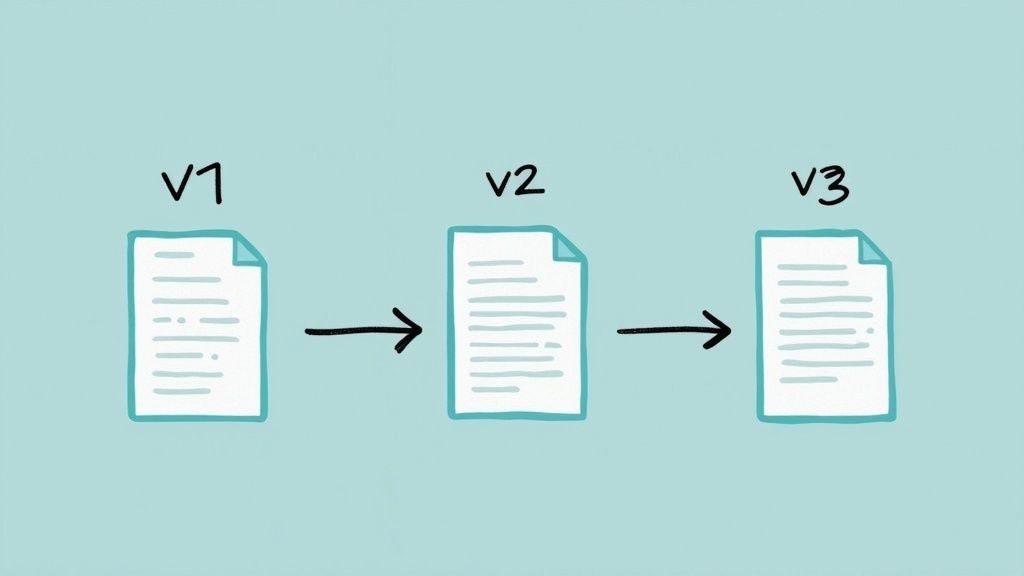
One of the most common points of failure in managing digital content is using the wrong version of an asset. Version control is the practice of systematically managing the evolution of your content from creation to retirement, ensuring teams always access the most current, approved files. It involves tracking revisions, managing approval workflows, and maintaining a clear history, which prevents costly mistakes and ensures brand consistency across all channels.
This practice is a core component of a mature digital asset management strategy, as it provides a single source of truth for every campaign image, product video, or brand logo. By managing the full asset lifecycle, you can also automate archival and deletion processes, keeping your DAM clean, relevant, and cost-effective. It moves your asset library from a simple storage folder to a dynamic, controlled environment.
Why It's a Foundational Practice
For an e-commerce business, version control directly impacts brand integrity and operational agility. Imagine a scenario where an outdated product photo with incorrect packaging is used in a major social media ad campaign. This error can confuse customers, damage brand trust, and lead to wasted ad spend. Version control prevents this by making it clear which asset is final and approved.
Major global brands like Coca-Cola rely on strict version control to ensure that their iconic brand assets are used consistently across hundreds of markets, each with its own regional campaigns. Similarly, Adobe Creative Cloud integrates version history directly into its applications, allowing design teams to collaborate seamlessly without overwriting each other's work. For your online store, this principle ensures that the right product image appears on your Etsy listing and the correct promotional banner goes live for your flash sale.
Actionable Implementation Tips
To effectively implement version control and lifecycle management, you need a combination of clear rules and the right tools.
- Define Naming Conventions: Create a standardized file naming system that includes a version indicator (e.g.,
ProductName-LifestylePhoto-SummerCampaign-v3.jpg). This makes it immediately obvious which version is which, even outside the DAM. - Set Up Approval Workflows: Use your DAM to create automated workflows. When a new version of an asset is uploaded, it can automatically notify key stakeholders (e.g., brand manager, legal team) for review. The asset only becomes "approved" and available for public use after it passes all checks.
- Establish Retention Policies: Not every asset needs to be kept forever. Define rules for how long to keep assets based on their type and usage. For example, you might archive campaign-specific assets six months after the campaign ends and set them for permanent deletion after two years. This manages storage costs and reduces clutter.
- Use Visual Comparison Tools: Many DAM systems offer tools that visually highlight the differences between two versions of an image or document. This is invaluable for reviewers, as it allows them to spot subtle changes quickly without having to flip back and forth between files.
- Create Emergency Override Procedures: Sometimes, an urgent update is needed immediately. Define a clear process for who can override a standard workflow in an emergency and how that action is documented to maintain accountability.
3. Centralize Storage with Distributed Access Controls
One of the most powerful digital asset management best practices is to create a single source of truth for all your content. Centralizing your assets in one repository eliminates the chaos of scattered files across various hard drives, cloud storage accounts, and email threads. However, centralization alone is not enough; it must be paired with a sophisticated system of distributed access controls. This hybrid approach ensures that while all assets live in one place, only the right people can view, use, or modify them based on their specific roles.
This practice combines the security and organization of a central hub with the flexibility needed for modern, collaborative workflows. It allows your internal teams, external agencies, and retail partners to access the exact content they need, without exposing sensitive or irrelevant assets. This prevents brand misuse, protects confidential information, and empowers users to self-serve, dramatically boosting operational efficiency.

Why It's a Foundational Practice
For an e-commerce business, this model is a game-changer for brand consistency and security. Imagine you need to share new product images with hundreds of global retail partners. Instead of sending mass emails with attachments, you grant them access to a specific, approved collection within your DAM. This ensures every partner uses the correct, high-resolution imagery and you can revoke access or update assets instantly.
Global brands master this balance. Puma centralizes its vast library of product and marketing imagery, providing worldwide retail partners with secure, role-based access to the assets they need for local campaigns. Similarly, McDonald's uses its DAM to maintain brand consistency across thousands of franchises, ensuring every market uses approved logos, promotional materials, and packaging designs. By controlling access from a central point, they maintain a unified brand identity on a global scale.
Actionable Implementation Tips
Implementing a secure yet flexible access system is a strategic process that balances control with usability.
- Start with Broad Permission Groups: Begin by creating user groups based on roles or departments (e.g., Marketing, Sales, PR Agency, Retail Partners). Assign general permissions to these groups and then refine access for individuals with specific needs.
- Implement Single Sign-On (SSO): Integrate your DAM with your company's SSO provider (like Okta or Azure AD). This streamlines the login process, reduces password fatigue, and enhances security by centralizing user authentication.
- Create Guest Access Portals: For temporary collaborators like freelancers or agencies, use guest "portals" or "lightboxes." This allows you to share a curated collection of assets for a specific project with an expiration date, without giving them full access to your library.
- Audit Permissions Regularly: Schedule quarterly reviews of all user accounts and permissions. Remove access for former employees, clean up unused guest accounts, and ensure current roles align with their assigned permissions. This is a critical security step.
- Use Watermarking for Previews: Configure your DAM to automatically apply watermarks to low-resolution previews. This allows users to browse assets freely while ensuring that only those with download permissions can access the high-resolution, final versions.
4. Standardize File Formats and Quality Guidelines
Beyond metadata, the technical integrity of your assets is paramount. Standardizing file formats and quality guidelines means creating a clear, enforceable set of rules for the technical specifications of every asset you create or ingest. This includes approved file formats (e.g., JPG for web, TIFF for print), resolution requirements, color profiles (like sRGB or CMYK), and compression settings. This practice ensures that every asset is consistent, high-quality, and optimized for its intended use.
Establishing these standards prevents the common problem of having a mix of low-resolution, incorrectly formatted files that are incompatible with different platforms or marketing channels. It's a foundational step in creating a reliable and efficient content pipeline, making it one of the most critical digital asset management best practices for maintaining brand consistency and performance.

Why It's a Foundational Practice
For an e-commerce business, technical standards directly influence user experience and operational efficiency. High-resolution images that are poorly compressed can drastically slow down your product pages, leading to higher bounce rates and lost sales. Conversely, images that are too low-quality can make your products look unprofessional, eroding customer trust. When you standardize, you ensure every asset meets a baseline quality that protects your brand and optimizes performance.
Global brands like IKEA exemplify this by using highly standardized product photography specifications, ensuring a consistent look and feel across its website, catalogs, and in-store displays worldwide. Similarly, National Geographic upholds legendary quality standards for its photography, with strict guidelines for resolution, color, and composition that define its iconic brand. These standards eliminate guesswork for creators and guarantee a consistent, high-quality output every time.
Actionable Implementation Tips
To implement your own technical standards, create clear documentation and use automation where possible.
- Document Everything: Create a "Digital Asset Style Guide" that clearly outlines the requirements for different asset types. For a product photo, this could specify:
- Web Format: JPG, sRGB color profile, <200KB file size
- Print Format: TIFF, CMYK color profile, 300 DPI resolution
- Naming Convention:
SKU_ProductName_Angle.jpg(e.g.,12345_ModernSofa_Front.jpg) - Dimensions: 2000x2000 pixels for primary images
- Provide Templates and Presets: Make it easy for your team to comply. Create and distribute Adobe Photoshop or Canva templates with the correct dimensions and export presets that automatically apply the right compression and format settings.
- Automate Quality Checks: Many modern DAM systems can be configured to automatically check incoming files against your standards. The system can flag or reject assets that don't meet the minimum resolution, are in the wrong format, or use an incorrect color profile.
- Optimize for Performance: A key part of your guidelines should focus on file size. It's crucial to learn professional techniques to reduce file sizes without sacrificing quality, as this directly impacts your website's load speed and customer experience.
- Review and Evolve: Technology changes. Schedule an annual review of your standards to incorporate new formats (like WebP or AVIF for images), update resolution requirements for new devices, and refine your guidelines based on performance data.
5. Create Intuitive Search and Discovery Systems
An effective DAM is not just a storage container; it's a dynamic library where assets are easily found and utilized. Creating intuitive search and discovery systems moves beyond simple keyword searches. It involves implementing advanced tools like faceted filtering, AI-powered recommendations, and even visual search to help users find the right asset quickly, even when they don't know the exact file name or metadata tag. This practice transforms your DAM from a passive archive into an active, intelligent content hub.
A powerful discovery system is multifaceted. Faceted search allows users to progressively refine results by applying multiple filters (e.g., file type, campaign, usage rights, color). AI-powered suggestions can recommend related assets based on a user's current selection or search history, uncovering content they might not have found otherwise. This intelligent layer is a critical component of modern digital asset management best practices, ensuring your valuable content doesn't get lost in a sea of files.
Why It's a Foundational Practice
For an e-commerce business, speed and relevance are paramount. When a social media manager needs an image for an impromptu Instagram post, they can't afford to spend 30 minutes sifting through folders. An intuitive search system allows them to filter by "lifestyle," "Instagram format," and "active campaign" to find the perfect asset in seconds. This agility is a significant competitive advantage.
Consider Shutterstock, which uses sophisticated AI-powered visual search to let users upload an image and find commercially licensable photos with similar composition, color, and subject matter. Likewise, Pinterest's Lens feature lets users take a photo of an object and discover related products and ideas. While your e-commerce store may not need that level of complexity, the core idea is the same: make content discovery effortless to maximize its value.
Actionable Implementation Tips
To build a more effective search experience, integrate multiple strategies and continuously refine your system.
- Implement Faceted Filtering: Don't rely on a single search bar. Configure your DAM to allow filtering based on the core metadata fields you established (e.g.,
Product SKU,Image Type,Usage Rights). This is the most impactful step for improving discoverability. - Leverage Saved Searches: Identify common or complex queries your team runs frequently, such as "Approved lifestyle images for Summer Sale 2024." Enable users to save these searches for one-click access in the future.
- Use AI for Visual and Contextual Search: If your DAM platform supports it, enable AI features. Visual search can find aesthetically similar images, while AI-driven recommendations can surface assets used in historically successful campaigns.
- Analyze Search Analytics: Regularly review your DAM’s search logs. What terms are users searching for? Where are they failing to find results? This data provides invaluable insight into user behavior and gaps in your metadata. Use this to refine your taxonomy and tagging strategy.
- Provide User Training: A powerful search system is only useful if people know how to use it. Create a short tutorial or guide demonstrating how to use faceted filters, boolean operators (AND/OR/NOT), and other advanced search features. If you're managing visuals for a Shopify store, getting your images just right is crucial; learn more about using a Shopify photo editor to enhance your assets before you even upload them.
6. Establish Usage Rights and Compliance Management
Beyond organizing your files, a crucial digital asset management best practice is rigorously managing their usage rights and compliance. This involves systematically tracking the legal licenses, permissions, and restrictions tied to every asset. Failing to do so can transform a valuable asset into a significant legal and financial liability. It means actively monitoring license expiration dates, geographic limitations, and attribution requirements to prevent copyright infringement and ensure every campaign is legally sound.
This practice is non-negotiable when using third-party content like stock photography, influencer collaborations, or licensed music. A robust DAM system acts as your single source of truth for compliance, embedding rights information directly into the asset's metadata. This ensures that every team member, from a social media intern to a senior designer, has clear visibility into how, where, and for how long an asset can be used, safeguarding your brand from costly mistakes.
Why It's a Foundational Practice
For any brand operating online, ignorance of licensing terms is not a defense. Using an expired stock photo on your Etsy shop banner or a model's image beyond the agreed-upon campaign period can lead to expensive lawsuits and damage your brand's reputation. This is especially true as brands increasingly rely on external content. This includes navigating the complexities of a robust user-generated content strategy, ensuring all assets are compliant and properly licensed.
Major advertising agencies live and die by this principle, using sophisticated rights management to track talent releases and complex usage terms for global campaigns. Likewise, publishing houses like Condé Nast manage intricate licensing agreements for thousands of images and articles across their print and digital properties. For your e-commerce store, the principle is the same: proper rights management protects your bottom line and enables confident, agile marketing.
Actionable Implementation Tips
Integrating compliance into your DAM workflow from day one is essential for long-term protection.
- Embed Rights Data in Metadata: Create dedicated metadata fields for rights information. Key fields should include:
License Type(e.g., Royalty-Free, Rights-Managed, UGC)License Expiration DateUsage Restrictions(e.g., "Web only," "North America only")Attribution Required(Yes/No)Source/Creator(e.g., "Getty Images," "Jane Doe Photography")
- Set Up Automated Alerts: Configure your DAM to send automated notifications to key stakeholders (e.g., marketing manager, legal team) weeks before a license is set to expire. This provides ample time to either renew the license or replace the asset across all channels.
- Create Clear Usage Guidelines: Document your company's policy on using licensed assets. Train all teams on copyright basics, the importance of compliance, and how to check an asset's usage rights within the DAM before publishing it.
- Maintain a Centralized License Repository: Store all original licensing agreements, model releases, and contracts within your DAM system, linking them directly to the relevant assets. This creates an easily auditable trail.
- Establish a Review Process: Implement a workflow where assets with complex or high-risk licenses require approval from a legal or senior team member before they can be downloaded or used. Explore our terms and guidelines for more insights on establishing these standards. Learn more about compliance management on prodshot.net.
7. Implement Automated Workflows and Integration
Manual, repetitive tasks are the enemy of efficiency and scale. Implementing automated workflows is about connecting your DAM system to the other tools your business relies on, creating a seamless ecosystem where assets move intelligently from creation to publication. This digital asset management best practice transforms your DAM from a static library into a dynamic hub that actively powers your creative and marketing operations. It automates processes like asset ingestion, format conversions, approval routing, and distribution to various channels.
This integration is what elevates a DAM from a simple storage solution to a core business system. By linking your DAM with project management tools, PIM systems, e-commerce platforms, and marketing automation software, you eliminate bottlenecks and reduce the risk of human error. Assets are automatically processed, approved, and delivered where they need to go, freeing your team to focus on strategic, high-value work instead of tedious administrative tasks.
Why It's a Foundational Practice
For an e-commerce brand, automation directly translates to faster campaign launches and consistent branding. When a new product photo is approved, an automated workflow can instantly resize it for your website, social media, and email newsletters, then push it to the correct platforms without a single manual download or upload. This ensures consistency and dramatically accelerates your time to market.
Consider how Marriott automates the distribution of new hotel imagery across its global network of booking websites and partner platforms. When new photos are uploaded and approved, they are automatically syndicated, ensuring travelers always see the most current and appealing visuals. Similarly, outdoor retailer REI integrates its DAM directly with its e-commerce site, allowing product images to flow seamlessly from photoshoot to product page, complete with all necessary metadata. This level of integration is essential for managing content at scale.
Actionable Implementation Tips
Building effective automations requires a thoughtful, step-by-step approach.
- Map Your Manual Processes: Before automating anything, document your current workflows. Identify the most time-consuming, repetitive, and error-prone tasks. This map will become your blueprint for automation. Where do assets get stuck? What steps require manual intervention?
- Start Simple: Don't try to automate your entire content lifecycle at once. Begin with a high-impact, low-complexity workflow. A great starting point is a simple approval route: when a new asset is uploaded, automatically notify the brand manager for review.
- Test Thoroughly: Treat your automations like any other software deployment. Test them in a staging environment with a small group of users to iron out any kinks before a full rollout. Ensure the triggers, actions, and integrations work as expected. The goal is to improve efficiency, not create new problems.
- Maintain Override Capabilities: Automation is powerful, but exceptions are inevitable. Ensure your workflows have a "manual override" or an escape hatch for unique situations or rush jobs. This flexibility prevents your automated system from becoming a rigid obstacle.
- Monitor and Improve: Automation isn't a "set it and forget it" solution. Regularly monitor your workflows for errors or inefficiencies. As your business needs change, your automations should evolve too. Look for new opportunities to connect systems and streamline processes, like using an AI product photo generator to create initial visuals that are then fed into your DAM for enrichment and distribution.
7 Best Practices Comparison Guide
| Item | 🔄 Implementation Complexity | 💡 Resource Requirements | 📊 Expected Outcomes | ⭐ Key Advantages | ⚡ Ideal Use Cases |
| Establish a Comprehensive Metadata Strategy | High - requires upfront planning and training | Moderate to high - ongoing maintenance and AI | Improved searchability, automated workflows, better governance | Dramatically improves asset discoverability and scalability | Large libraries needing structured asset organization |
| Implement Version Control and Asset Lifecycle Management | Medium - needs disciplined processes | Moderate - storage and process management | Clear versioning, audit trails, reduced errors | Eliminates confusion, supports collaboration and compliance | Teams requiring strict version and approval control |
| Centralize Storage with Distributed Access Controls | High - complex permissions and infrastructure | High - robust infrastructure and bandwidth | Secure collaboration, reduced duplication, full usage visibility | Maintains security with flexible, role-based access | Organizations handling sensitive assets across teams |
| Standardize File Formats and Quality Guidelines | Medium - technical setup and continuous updates | Moderate - technical expertise and tools | Consistent quality, compatibility, optimized storage | Ensures output consistency, simplifies technical decisions | Brands requiring cross-channel consistency |
| Create Intuitive Search and Discovery Systems | High - sophisticated AI and continuous tuning | High - advanced tech and training data | Faster, smarter asset discovery, higher utilization | Enhances user experience, reduces duplicate creation | Large diverse libraries needing fast, relevant search |
| Establish Usage Rights and Compliance Management | Medium - ongoing legal monitoring | Moderate - legal expertise and compliance tools | Reduced legal risks, proper attribution, audit readiness | Prevents copyright issues, supports governance | Legal-sensitive industries managing licensed content |
| Implement Automated Workflows and Integration | High - technical setup and system integration | High - complex setup and maintenance | Faster processing, error reduction, consistent operations | Eliminates repetitive tasks, speeds up delivery | Organizations automating creative and marketing pipelines |
From Asset Chaos to Conversion-Focused Clarity
Navigating the world of e-commerce requires more than just a great product; it demands a sophisticated, efficient, and scalable approach to managing the visual content that drives your business. The journey from a chaotic collection of disorganized files to a streamlined, strategic asset ecosystem can feel daunting. However, by implementing the digital asset management best practices detailed throughout this guide, you are not just tidying up your folders; you are building a powerful engine for growth, consistency, and operational excellence.
This isn't about adopting a rigid set of rules overnight. Instead, it's about building a flexible, intelligent framework tailored to your unique business needs. The core principles we've explored serve as the essential building blocks for this transformation. Let's recap the foundational pillars that will have the most significant impact on your daily operations and long-term success.
Key Takeaways for Immediate Impact
Mastering digital asset management best practices begins with focusing on the areas that cause the most friction. For most e-commerce sellers, this means starting with two critical domains:
- Metadata and Naming Conventions: This is your foundation. Without a comprehensive metadata strategy and standardized file naming, even the most advanced DAM system will fail. A rich, descriptive metadata schema turns your asset library from a digital junk drawer into a highly searchable, intuitive database.
- Centralization and Access Control: Bringing all your assets into a single source of truth is a non-negotiable step. This centralization, combined with granular user permissions, eliminates version confusion, prevents unauthorized asset use, and ensures your team, partners, and freelancers can access exactly what they need, when they need it, without compromising security.
From there, layering in practices like version control, workflow automation, and compliance management elevates your system from a simple storage solution to a dynamic operational hub. Each practice builds upon the last, creating a synergistic effect that amplifies efficiency across your entire business.
Your Actionable Path Forward
The path to a mature digital asset management system is a marathon, not a sprint. The key is to start now, focus on incremental progress, and prioritize actions that solve your most immediate and painful challenges.
- Conduct an Asset Audit: Before you can organize, you need to know what you have. Spend a day or two inventorying your existing assets, identifying duplicates, and flagging outdated content.
- Define Your Metadata Schema: Start with the basics. What information is absolutely essential for you to find an asset? Think product SKU, campaign name, usage rights, and creation date.
- Choose Your "Single Source of Truth": This could be a dedicated DAM platform, a cloud storage solution like Google Drive with a strict folder structure, or another system that works for your scale. The tool is less important than the commitment to using it consistently.
- Automate One Repetitive Task: Identify a simple, time-consuming task in your content lifecycle. Can you automate the process of resizing images for different social media platforms? Can you create a workflow that automatically notifies a team member when a new asset is ready for review? Small automation wins build momentum.
By embracing these digital asset management best practices, you are fundamentally changing your relationship with your content. You are moving from a reactive state of constantly searching for files and fixing errors to a proactive state of strategic deployment. This shift frees up invaluable time, protects your brand integrity, and ensures that every single image, video, and graphic is optimized to perform its ultimate job: converting viewers into loyal customers.
Ready to supercharge the first step of your asset pipeline? A flawless DAM system begins with high-quality, consistent product photography. ProdShot leverages AI to transform your simple smartphone photos into stunning, studio-grade images with perfect lighting and backgrounds in seconds. Feed your new, organized asset management system with perfect visuals from day one by visiting ProdShot and see how effortless professional product photography can be.